
Download Mac Messenger – Free Open‑Source MSN Client for macOS
Overview
Mac Messenger is a lightweight, open‑source client that brings the classic MSN Messenger experience to macOS users. First released in the early 2000s, the application has been kept up‑to‑date for legacy Mac systems, offering a nostalgic yet functional chat environment for those who still cherish the original MSN network. The latest stable build, version 3.5.4, rolled out on June 8 2005, and despite its age it remains a viable choice for users running Mac OS Carbon or earlier releases.
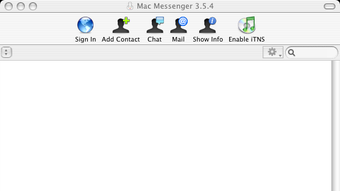
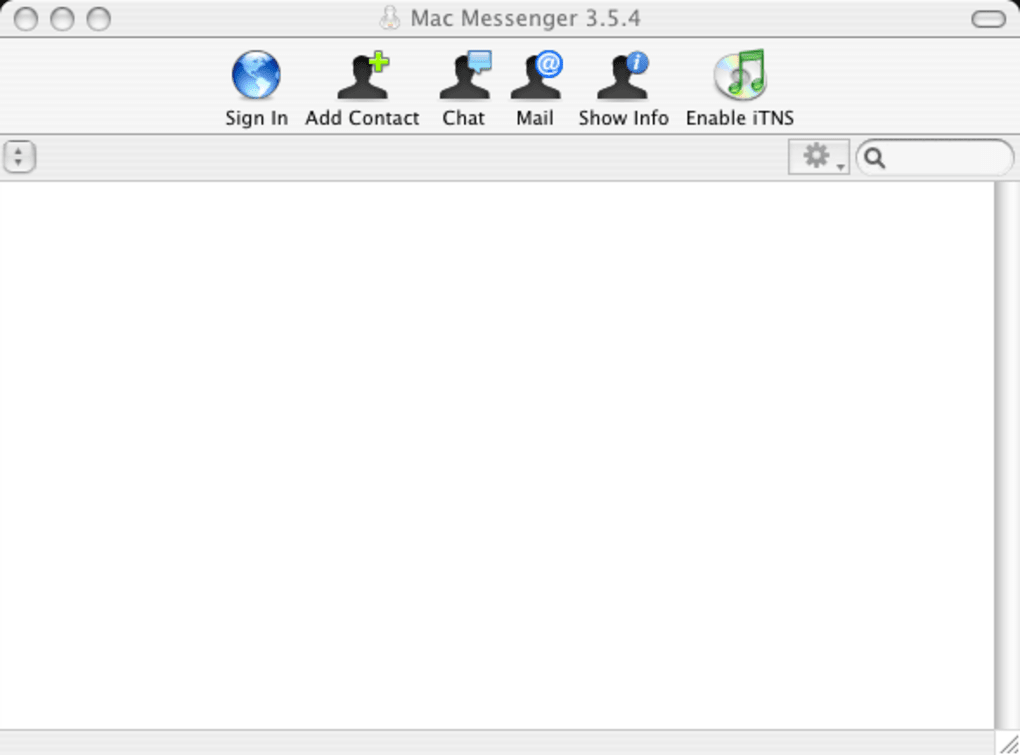
Because the software is distributed under a free‑software license, you can download, install, and use it without any hidden fees or subscription costs. Its compact footprint makes it an attractive alternative to modern, resource‑heavy instant messengers, especially on older hardware where RAM and storage are at a premium. Mac Messenger supports multiple sound packs, a customizable gradient listbox for contact selection, and a Tiger‑specific unified toolbar that blends seamlessly with OS X Tiger’s visual language.
With over 78 000 downloads since its catalog entry in 2005, the program has proven its staying power within the niche of legacy chat tools. Whether you’re reconnecting with old contacts, testing retro software, or simply need a no‑frills messaging client that respects your system’s limitations, Mac Messenger delivers a secure, straightforward solution that stays true to the original MSN experience.
Key Features
- Classic MSN Interface: Faithful recreation of the original MSN Messenger layout, complete with familiar icons, status bubbles, and emoticon sets.
- Gradient Listbox: New visual style for contact selection that adds depth and improves readability.
- Tiger Unified Toolbar: Integrated toolbar support exclusive to OS X Tiger, providing quick access to chat, status, and settings.
- Multiple Soundpacks: Choose from a variety of notification sounds, or disable them entirely for a silent experience.
- Automessage Toggle: Option to disable the automatic “away” message feature for more controlled status updates.
- Low System Footprint: Consumes minimal disk space and RAM, making it ideal for older Macs.
- Open‑Source Code Base: Fully transparent development, allowing tech‑savvy users to audit or modify the software.
- Stable on Legacy macOS: Certified to run on Mac OS Carbon and earlier, ensuring compatibility with machines that cannot support modern apps.
Installation & Compatibility
Installing Mac Messenger is a straightforward process that can be completed in a few minutes, even for users who are not technically inclined. Begin by downloading the installer package from the official project page or a trusted mirror. The file is typically distributed as a compressed .dmg image. Double‑click the .dmg to mount it, then drag the Mac Messenger.app icon into your /Applications folder. Because the software targets older macOS versions, you may encounter a security warning on newer systems; simply right‑click the app, select “Open,” and confirm that you wish to run the program.
Operating System Requirements: The application is built for Mac OS Carbon and prior releases, meaning it runs natively on macOS 10.4 (Tiger) and earlier. Users on later macOS versions can still launch the app via compatibility layers or by running it in a virtualized environment that emulates an older OS. The itemprop="operatingSystem" attribute reflects this range: Mac OS Carbon, Mac OS X Tiger (10.4) and earlier.
After installation, launch Mac Messenger from the Applications folder. The first run will prompt you to configure your MSN account credentials—email address and password. If you no longer have an active MSN account, you can still explore the client’s UI and test its features using a dummy account; however, real‑time messaging will require a valid service endpoint.
Once logged in, the contact list appears on the left, styled with the new gradient listbox. You can add contacts, start private chats, or join group conversations just as you would with the original MSN client. The toolbar at the top offers quick toggles for status, sound settings, and access to preferences, where you can enable or disable the automessage feature and select your preferred soundpack.
For users who wish to customize the experience further, the application’s preferences window allows you to switch between multiple UI themes, adjust notification behavior, and even replace the default icons with your own graphics. Because the software is open source, advanced users can dive into the source code to compile custom builds that target specific macOS releases or integrate additional plugins. Overall, the installation and compatibility pathway is deliberately simple, ensuring that even legacy hardware can enjoy a reliable instant‑messaging experience without sacrificing security or stability.
Pros & Cons
Pros
- Free and open‑source – no hidden fees or subscription models.
- Extremely low resource usage, perfect for older Macs with limited RAM.
- Authentic MSN Messenger interface that feels nostalgic and familiar.
- Supports multiple sound packs and offers granular control over notifications.
- Specialized Tiger Unified Toolbar for seamless integration with OS X Tiger.
- Gradient listbox improves readability of large contact lists.
- Transparent code base allows security audits and community contributions.
Cons
- Only compatible with legacy macOS versions; not natively supported on modern macOS releases.
- MSN network has been discontinued, limiting real‑world messaging unless paired with compatible third‑party services.
- Interface may appear dated compared to contemporary messaging apps.
- Lack of built‑in video or voice chat features.
- Occasional toolbar button crash reported on rare system configurations.
FAQ & Conclusion
Is Mac Messenger still safe to use on modern computers?
While the software was designed for older macOS versions, it can still be run safely on newer machines using compatibility layers or virtual machines. Because it is open source, the code can be audited for security issues. However, the original MSN service is no longer active, so messaging functionality depends on third‑party bridges.
Can I use Mac Messenger with other instant‑messaging networks?
Out of the box, Mac Messenger only supports the legacy MSN protocol. Some community‑maintained plugins attempt to translate traffic to modern services, but they are unofficial and may not be reliable. For pure MSN usage, a valid account is required.
What is the minimum disk space required for installation?
The installer occupies less than 5 MB, and the application itself requires roughly 12 MB of disk space after extraction—making it one of the smallest chat clients available for macOS.
Does Mac Messenger support file transfers?
Yes, the client includes a basic file‑transfer feature that works over the MSN protocol. Transfer speed is limited by the original service specifications and may be slower than modern alternatives.
How can I contribute to the development of Mac Messenger?
Since the project is open source, you can fork the repository on platforms such as GitHub, submit bug reports, or propose enhancements via pull requests. The community welcomes developers who wish to improve compatibility with newer macOS versions or add modern features.
Final Verdict
Mac Messenger stands out as a niche solution for users who need a lightweight, nostalgic instant‑messaging client that runs on legacy macOS hardware. Its free, open‑source nature, combined with a classic MSN interface and low resource consumption, makes it an excellent choice for archival purposes or for those who simply enjoy the retro feel. The primary drawbacks are its limited compatibility with modern operating systems and the fact that the original MSN network is defunct. If you can accommodate these constraints, Mac Messenger delivers a secure, straightforward chatting experience without the bloat of contemporary apps.
Recommendation: Download Mac Messenger today if you own an older Mac, need a minimal‑footprint chat client, or want to explore the history of instant messaging on macOS.







